
 Gonzalo Marsilli
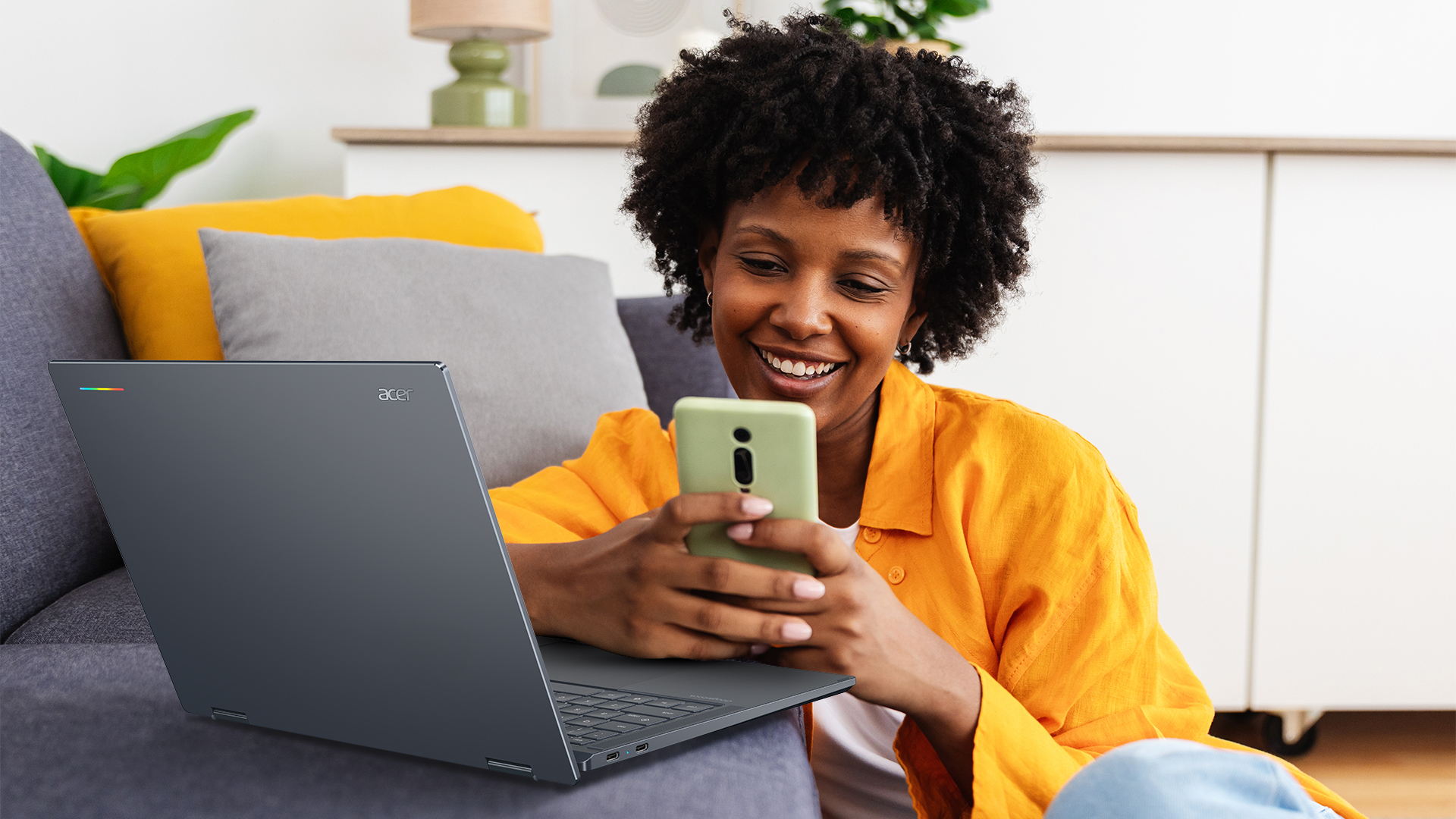
Acer Googlebook 14. Photo: Acer.
Google has introduced a laptop designed around a question Chromebook owners have asked for years: what if the computer worked more like the Android phone already in your pocket? The answer is Googlebook, announced for preorder on September 21, 2026. It is a new product category rather than a renamed Chromebook.
The more useful question for a business is whether that closer connection between phone and laptop improves its actual work. Google's launch announcement gives us enough detail to start that assessment, but not enough to skip a device pilot.
What has Google announced?
Google says the first Googlebooks are made with Acer, ASUS, Dell, HP and Lenovo. The range starts at $899 in the United States. Depending on the model, it includes touchscreens with up to 2.8K OLED resolution, Intel or Qualcomm processors, dedicated AI processors rated above 45 TOPS and claimed battery life of up to 14 hours. Those are range claims, not specifications for every model. Google's September announcement also promises software updates for up to 10 years.
The initial offer is positioned as a premium laptop. That makes the buying question closer to choosing a MacBook or Windows ultrabook than replacing the cheapest Chromebook in a classroom.
How is Googlebook different from a Chromebook?
The main difference is its software foundation. Google describes Googlebook as built on the Android technology stack with desktop elements from ChromeOS. It offers desktop Chrome with extensions alongside Android applications from Google Play. Current Chromebooks already run Android apps and have been adopting parts of the Android stack; access to the Play Store alone is not the new feature.
- Software: Chromebook uses ChromeOS, which is adopting more Android components. Googlebook starts from the Android stack and adds ChromeOS desktop foundations.
- Phone connection: Chromebook already has phone features. Googlebook emphasizes continuing tasks, accessing files and using phone apps on the laptop.
- Price: Chromebook spans budget and premium devices. Googlebook launches as a premium range starting at $899 in the U.S.
Google has not said in its launch material that every current Chromebook is being discontinued. Existing owners should follow their model's support schedule rather than assume this announcement changes it.
What changes when you use an Android phone?
Google's product announcement describes three concrete links between the devices. Continue On resumes a supported phone task on the laptop. Files lets the laptop browse phone photos and documents without manually transferring them. Cast My Apps displays and controls phone apps in a desktop window. Google says initial setup can also carry over settings, saved passwords, Wi-Fi networks and messages with end-to-end encryption.
This is potentially useful for staff who move between sites and work from a phone between appointments. It does not prove that every Android app will provide a good keyboard and mouse experience. An organization should test the specific apps it uses, including sign-in, file handling and offline behavior. Google's Australian launch notes specify Android 17 or later for several phone connection features and warn that availability varies.
Gemini moves closer to the desktop
Googlebook includes Magic Pointer, which invokes Gemini around the item under the cursor; Rambler, which turns dictated thoughts into structured text; and Create My Widget, which builds desktop widgets from a prompt. Google says Magic Pointer acts when requested and can be disabled. These features, plus Google's earlier Googlebook preview, show that AI is part of the product design rather than an app added afterward.
For work use, the important test is what happens to company information. Try the features with non-sensitive sample content first. Confirm which AI functions work in your language and region, what data they can access, and whether administrators can control them under your chosen license. Google describes ChromeOS management in its enterprise documentation, but a buyer should verify the exact Googlebook management options rather than assume every existing Chromebook policy transfers unchanged.
What should a business check before buying?
A Googlebook may suit teams that live in browser apps and Android services. It needs more scrutiny where work depends on Windows desktop software, specialist peripherals or existing device-management policies. A small pilot should answer four questions:
- Can staff complete a real working day? Test the browser, calls, document editing, VPN, printing and required peripherals.
- Do phone handoff features work with your devices? Check Android version, accounts and the actual apps employees use.
- Can IT manage the device and its AI features? Verify enrollment, updates, access controls, data handling and support with the vendor.
- Is it available where you buy and support hardware? Check local models, warranty, keyboard layout and prices before planning a rollout.
If your team relies on Microsoft desktop applications, our Microsoft 365 versus Google Workspace comparison helps frame the software decision. The laptop should follow the workflow, not dictate it.
Price and availability: Italy is not on the first list
Preorders opened in the U.S. on September 21. Google says devices reach U.S. stores on October 4, 2026, followed on October 5 by Canada, the U.K., Ireland, France, Germany and Australia. Italy is not named in that first list, and Google has not given an Italian price in the U.S. launch announcement. The $899 starting price is a U.S. price, not a euro conversion or an Italian offer.
That matters for procurement. Importing from another market could complicate keyboard layout, warranty and support. Wait for a local offer or ask an authorized supplier for written terms.
Frequently asked questions
Is Googlebook replacing every Chromebook?
Google calls it a new laptop category. The September announcement does not say all Chromebooks are being withdrawn. Google previously said regular ChromeOS updates would continue while it adopted Android components. Check the support date of a specific existing device before making a replacement decision.
Can a Googlebook run Windows programs?
Google lists desktop Chrome, Android apps and an isolated Linux terminal environment. It does not describe native Windows application support. If a team depends on a Windows-only program, test an approved web version or remote desktop workflow before considering Googlebook for that role.
When can I buy one in Italy?
Google has not announced Italy among the initial October 2026 retail markets. France and Germany are on the list, but that does not establish Italian pricing, warranty or availability. Check Google's local store or an authorized Italian reseller for an official offer.
Googlebook is an interesting step beyond the traditional Chromebook, especially for people who switch constantly between Android phone and laptop. For an Italian business, the sensible next step is a compatibility checklist and a pilot when locally supported hardware is available. Contact Computer On Site if you want help comparing it with your current device and application setup.